Or: How I Spent 3 Hours Avoiding My Actual To-Do List by Building a Better To-Do List
This is part 1 of an ongoing series where I document building a production-ready task management app from scratch. Follow along for the technical deep dives, architectural decisions, and inevitable “well, that didn’t work” moments.
The Problem (AKA My Life)
Look, I’m a senior software engineer. I can architect distributed systems, debug race conditions in my sleep, and explain monads to junior devs without making them cry. But ask me to remember to buy groceries? Absolute chaos.
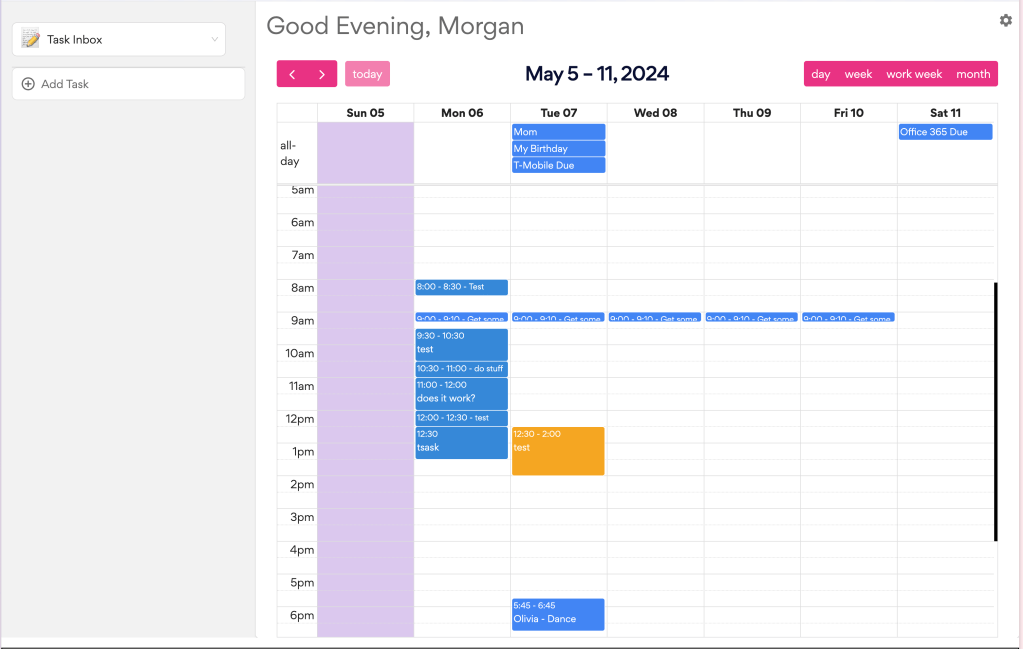
I’ve tried everything. Notion (too many features), Todoist (too simple), bullet journaling (let’s not talk about it), and those fancy productivity apps that cost more than my monthly coffee budget. Then I discovered Sunsama and thought, “This is it! Time blocking! Daily planning! This will fix me!”
It did not fix me. But it did inspire me to spend a Sunday building my own version, which is honestly the most on-brand thing I’ve ever done.
The Stack (Let’s Talk Architecture)
Frontend: React 18 + TypeScript + Vite
Why React 18? Honestly, muscle memory. But also: concurrent rendering, automatic batching, and Suspense support that I’m not using yet but plan to. The new useId hook is going to be clutch when I build the drag-and-drop interface.
Why TypeScript? Because I like sleeping at night. Also because catching “Property ‘title’ does not exist on type ‘Task’” at build time instead of in production is worth the extra keystrokes.
Why Vite? Have you seen how fast it is? I hit save and the page updates before my eyes can refocus. Coming from Create React App, this is like going from dial-up to fiber. Plus, the default config just works. No ejecting, no rewiring, no webpack.config.js that looks like ancient runes.
// vite.config.ts - that's it, that's the whole config
import { defineConfig } from 'vite'
import react from '@vitejs/plugin-react'
export default defineConfig({
  plugins: [react()],
})
Frontend State Management: React Query + Zustand
Here’s where it gets interesting. I’m using two state management solutions, and before you @ me, hear me out:
React Query for server state – anything that comes from the API. Tasks, users (eventually), all of it. React Query handles caching, refetching, optimistic updates, the works.
Zustand for client state – UI state that doesn’t touch the server. Think: “is the sidebar open?” or “which filter is active?”. I haven’t needed it much yet, but it’s installed and ready for when I do.
The key insight: server state and client state are fundamentally different problems. Server state is async, can be stale, needs caching. Client state is synchronous, always fresh, no caching needed. Using different tools for different jobs = chef’s kiss.
Backend: Node.js + Express + TypeScript + Prisma
Express in 2025? Yes. Fight me. It’s boring, but it works, everyone knows it. I don’t need GraphQL subscriptions for a task app. RESTful routes are fine.
Why Prisma? Three reasons:
- Type safety end-to-end (TypeScript on both sides talking to the same schema)
- Migrations that don’t make me cry
- This query syntax:
const tasks = await prisma.task.findMany({
    where: {
        userId,
        completed: false,
    },
    include: {
        user: true  // Automatic joins!
    },
    orderBy: { createdAt: 'desc' },
});
Compare that to writing raw SQL with string interpolation. Yeah, I’ll take the ORM.
PostgreSQL via Supabase – I wanted Postgres (because it’s solid and has proper data types), but I didn’t want to run a database locally. Supabase gives me:
- Hosted Postgres
- Connection pooling
- Automatic backups
- A nice dashboard
- Free tier that’s actually usable
Coming in future posts: I’ll probably regret not using their auth system and will migrate to it eventually.
The Monorepo Setup
sunsama-clone/
├── client/          # React app
├── server/          # Express API
└── package.json     # Root workspace config
Using npm workspaces (not Lerna, not Turborepo, just npm) because:
- It’s built into npm 7+
- Dependencies hoist automatically
- Scripts are easy:
npm run dev --workspace=client
- No extra configuration needed
The root package.json just has:
{
  "workspaces": ["client", "server"]
}
That’s it. Magic. Dependencies get installed to the root node_modules, each workspace has its own package.json for its specific deps. Clean, simple, works.
The Build: A Series of Unfortunate Events
Chapter 1: Docker, Why Have You Forsaken Me?
Started with grand plans for a local PostgreSQL setup in Docker. The dream: docker-compose up and boom, perfect dev environment.
Here’s what my docker-compose.yml looked like:
version: '3.8'
services:
  postgres:
    image: postgres:16
    environment:
      POSTGRES_USER: postgres
      POSTGRES_PASSWORD: postgres
      POSTGRES_DB: sunsama_clone
    ports:
      - "5432:5432"
Looks good, right? WRONG.
Prisma refused to connect. Every error message was some variation of:
P1010: User 'postgres' does not existECONNREFUSEDpassword authentication failedthe pain, the pain of it all
Things I tried:
- Different connection strings (at least 15 variations)
- Adding a shadow database URL (Prisma’s docs suggested it)
- Waiting longer for Postgres to initialize (maybe it just needed time?)
- Checking Postgres logs (they said everything was fine, lies)
- Googling increasingly desperate phrases
- Questioning my career choices
Here’s what I think was happening: Prisma was trying to connect before Postgres finished initializing, even with healthchecks. Or maybe there was a network issue between containers. Or maybe Docker was gaslighting me.
The pragmatic decision: After dealing with this for entirely too long, I opted for Supabase, got a connection string, and it worked in 30 seconds.
# The magic string that actually worked
DATABASE_URL="postgresql://postgres:[password]@db.[project].supabase.co:6543/postgres?pgbouncer=true"
DIRECT_URL="postgresql://postgres:[password]@db.[project].supabase.co:5432/postgres"
Why this was the right call:
- Dev/prod parity (I’ll use Supabase in production anyway)
- No local Docker containers eating my battery
- Connection pooling built-in
- Automatic backups
- I can access the database from anywhere
Lesson learned: Sometimes “works on my machine” isn’t the goal. Sometimes “works, period” is enough. I’ll tackle Docker setup in a future post when I actually need local development isolation. For now, pragmatism wins.
Coming in Part 2: I’ll probably set up Docker properly because I can’t help myself.
Chapter 2: Tailwind v4 – A New Hope (But Different)
Tailwind v4 dropped and changed… everything? Here’s what’s different:
The Old Way (v3):
// tailwind.config.js
module.exports = {
  content: ['./src/**/*.{js,ts,jsx,tsx}'],
  theme: { extend: {} },
  plugins: [],
}
The New Way (v4):
// postcss.config.js
export default {
    plugins: {
        '@tailwindcss/postcss': {},
    },
}
And in your CSS:
/* index.css */
@import "tailwindcss";
That’s it. No config file. No content paths. No theme object. It just… works.
How it works: Tailwind v4 uses a new engine that scans your files automatically. It’s faster, the bundle is smaller, and the API is cleaner. The tradeoff? Breaking changes if you’re migrating from v3.
The gotcha I hit: I tried to use @tailwindcss/forms plugin. Doesn’t exist in v4 yet. Had to style form elements manually, which honestly wasn’t terrible:
input, textarea {
    @apply px-3 py-2 border border-gray-300 rounded-md;
    @apply focus:ring-2 focus:ring-blue-500 focus:border-blue-500;
}
Verdict: Once you get past the initial “wait, where’s my config file?” panic, it’s actually really nice. Less configuration, faster builds, same utility-first goodness.
Coming in a future post: Custom design system with Tailwind v4’s new theming approach.
Chapter 3: npm Workspaces Are Actually Cool?
I set up a monorepo because I wanted client and server in the same repo without going full Turborepo mode. npm workspaces just… worked? Dependencies hoisted to the root, proper isolation, life was good.
I was waiting for something to break. Nothing broke. This never happens. I’m still suspicious.
Chapter 4: GitHub
Created the repo and pushed my code. Self-explanatory. Took 2 minutes. Was this worth a chapter? Probably not.
What Actually Works (The Good Part!)
After all that setup chaos, I ended up with a fully functional CRUD app in about 3 hours total:
✅ Create tasks with titles, descriptions, and due dates
✅ Check off tasks (so satisfying)
✅ Delete tasks (even more satisfying)
✅ Real-time updates thanks to React Query
✅ Clean UI that doesn’t make my eyes bleed
✅ Mobile responsive
The app works! I can add tasks! I can finish them! I won’t actually use it to complete tasks because that would require discipline, but technically I could.
The Code: Deep Dives Into What Actually Works
React Query: The Secret Sauce
React Query handles all the annoying parts of data fetching. Here’s the full setup:
// main.tsx - Query client configuration
const queryClient = new QueryClient({
    defaultOptions: {
        queries: {
            refetchOnWindowFocus: false,  // Don't refetch when I tab back
            retry: 1,                      // Try twice, then give up
            staleTime: 5 * 60 * 1000,     // Data fresh for 5 minutes
        },
    },
})
Why these settings?
refetchOnWindowFocus: false – I’m tabbing between my editor and browser constantly. Don’t need to refetch every time.retry: 1 – If the API is down, retrying 3 times just delays the error message.staleTime: 5 minutes – Tasks don’t change that often. No need to hammer the API.
The Query Hook:
const { data: tasks, isLoading, error } = useQuery({
    queryKey: ['tasks'],
    queryFn: taskApi.getTasks,
});
That queryKey is the secret. React Query uses it to cache results. If I call this hook in multiple components, they all share the same cached data. Change the key, you get a new cache entry:
// Different cache entries
['tasks']                    // All tasks
['tasks', { completed: true }]  // Completed tasks only
['tasks', userId]            // User-specific tasks
The Mutation Hooks:
const createMutation = useMutation({
    mutationFn: taskApi.createTask,
    onSuccess: () => {
        // Invalidate queries to trigger refetch
        queryClient.invalidateQueries({ queryKey: ['tasks'] });
    },
});
const deleteMutation = useMutation({
    mutationFn: taskApi.deleteTask,
    onSuccess: () => {
        queryClient.invalidateQueries({ queryKey: ['tasks'] });
    },
});
What’s happening here:
- Call
createMutation.mutate(newTask)
- API request fires
- On success, invalidate the
['tasks'] cache
- React Query automatically refetches all queries using that key
- UI updates with new data
No manual state updates, no Redux actions, no event emitters. Just invalidate the cache and React Query does the rest.
Future optimization: Right now I’m invalidating the whole list on every mutation. Later, I’ll implement optimistic updates:
// Coming in Part 3
const createMutation = useMutation({
    mutationFn: taskApi.createTask,
    onMutate: async (newTask) => {
        // Cancel outgoing queries
        await queryClient.cancelQueries({ queryKey: ['tasks'] });

        // Snapshot previous value
        const previous = queryClient.getQueryData(['tasks']);

        // Optimistically update
        queryClient.setQueryData(['tasks'], (old) => [...old, newTask]);

        return { previous };
    },
    onError: (err, newTask, context) => {
        // Rollback on error
        queryClient.setQueryData(['tasks'], context.previous);
    },
});
This makes the UI feel instant – the task appears immediately, then syncs with the server in the background.
Prisma: Type-Safe Database Access
Prisma’s magic is in the generated client. Here’s my schema:
model Task {
  id          String    @id @default(uuid())
  title       String
  description String?
  completed   Boolean   @default(false)
  dueDate     DateTime?
  createdAt   DateTime  @default(now())
  updatedAt   DateTime  @updatedAt

  userId String
  user   User   @relation(fields: [userId], references: [id], onDelete: Cascade)
}
Run npx prisma generate and it creates a fully-typed client:
// This knows about Task, knows completed is Boolean,
// knows description is String | null, everything
const task = await prisma.task.create({
    data: {
        title: "New task",
        userId: "temp-user-id",
        // TypeScript will yell if I forget required fields
        // or pass wrong types
    }
});
The Relations:
// Get tasks with user data in one query
const tasks = await prisma.task.findMany({
    include: {
        user: true  // Joins the User table automatically
    }
});
// Type of tasks is now:
// Array<Task & { user: User }>
Prisma handles the JOIN, returns properly typed data, and I don’t write SQL.
Prisma Migrations:
# Create a migration
npx prisma migrate dev --name add_task_priority
# It generates SQL for me:
# CREATE TABLE "Task" (
#     "id" TEXT NOT NULL PRIMARY KEY,
#     "title" TEXT NOT NULL,
#     ...
# )
The migration files are in prisma/migrations/ as SQL. I can version control them, review them, modify them if needed. But 99% of the time, Prisma gets it right.
Future posts will cover:
- Complex Prisma queries (aggregations, groupBy)
- Database indexing strategy
- Handling concurrent updates
- Soft deletes vs hard deletes
API Client: Axios with Interceptors
The API client has some sneaky stuff in it:
// client.ts
export const apiClient = axios.create({
    baseURL: API_BASE_URL,
    headers: {
        'Content-Type': 'application/json',
    },
});
// Request interceptor - adds auth token
apiClient.interceptors.request.use((config) => {
    const token = localStorage.getItem('auth_token');
    if (token) {
        config.headers.Authorization = `Bearer ${token}`;
    }
    return config;
});
// Response interceptor - handles 401s
apiClient.interceptors.response.use(
    (response) => response,
    (error) => {
        if (error.response?.status === 401) {
            localStorage.removeItem('auth_token');
            window.location.href = '/login';
        }
        return Promise.reject(error);
    }
);
Why interceptors?
- Don’t have to manually add auth headers to every request
- Global error handling – one place for 401 logic
- Easy to add logging, retry logic, etc.
The API functions:
// tasks.ts
export const taskApi = {
    getTasks: async (): Promise<Task[]> => {
        const response = await apiClient.get('/api/tasks');
        return response.data;
    },

    createTask: async (data: CreateTaskInput): Promise<Task> => {
        const response = await apiClient.post('/api/tasks', data);
        return response.data;
    },
};
Clean, typed, testable. Each function is a single responsibility. Later I can mock these for tests, or swap axios for fetch, or add retry logic.
Coming in Part 2: Adding authentication with JWT tokens and refresh token rotation.
Component Architecture: Keeping It Simple
I’m using a pretty standard React component structure:
src/
├── api/              # API client and functions
│   ├── client.ts     # Axios instance + interceptors
│   └── tasks.ts      # Task-specific API calls
├── components/       # Reusable UI components
│   ├── TaskItem.tsx
│   └── CreateTaskForm.tsx
├── pages/            # Full page views
│   └── Tasks.tsx     # Main task page
├── types/            # TypeScript interfaces
│   └── task.ts
└── hooks/            # Custom hooks (empty for now)
Why this structure?
- api/ – Keeps all HTTP stuff in one place. Easy to mock for tests.
- components/ – Reusable, presentational components. Pure functions of props.
- pages/ – “Smart” components that fetch data and handle business logic.
- types/ – Shared TypeScript interfaces. One source of truth.
Component Design Principles:
1. Presentational vs Container
// TaskItem.tsx - Presentational (dumb component)
interface TaskItemProps {
    task: Task;
    onToggle: (id: string) => void;
    onDelete: (id: string) => void;
}
export function TaskItem({ task, onToggle, onDelete }: TaskItemProps) {
    // Just renders UI, no data fetching
    return (
        <div>
            <input
                type="checkbox"
                checked={task.completed}
                onChange={() => onToggle(task.id)}
            />
            {task.title}
        </div>
    );
}
// Tasks.tsx - Container (smart component)
export function Tasks() {
    // Handles data fetching and mutations
    const { data: tasks } = useQuery({
        queryKey: ['tasks'],
        queryFn: taskApi.getTasks,
    });

    const toggleMutation = useMutation({
        mutationFn: taskApi.toggleTask,
        onSuccess: () => {
            queryClient.invalidateQueries({ queryKey: ['tasks'] });
        },
    });

    return (
        <div>
            {tasks?.map(task => (
                <TaskItem
                    task={task}
                    onToggle={toggleMutation.mutate}
                    onDelete={deleteMutation.mutate}
                />
            ))}
        </div>
    );
}
Why separate them?
- Easy to test (presentational components are pure functions)
- Easy to reuse (TaskItem doesn’t care where data comes from)
- Easy to reason about (data logic is in pages, UI logic is in components)
2. Form Handling – Controlled Components
// CreateTaskForm.tsx
const [title, setTitle] = useState('');
const [description, setDescription] = useState('');
const handleSubmit = (e: React.FormEvent) => {
    e.preventDefault();

    onSubmit({
        title: title.trim(),
        description: description.trim() || undefined,
    });

    // Reset form
    setTitle('');
    setDescription('');
};
Classic controlled components. The form state lives in React state, gets cleared on submit. Simple, predictable.
Future improvements:
- Form validation library (probably React Hook Form)
- Loading states and error messages
- Keyboard shortcuts (Cmd+Enter to submit)
Coming in Part 3: Building a complex drag-and-drop interface and managing that state.
TypeScript: The Type System Doing Heavy Lifting
Every piece of data has a type. Here’s the full type system so far:
// types/task.ts
export interface Task {
    id: string;
    title: string;
    description: string | null;  // Nullable!
    completed: boolean;
    dueDate: string | null;      // Nullable!
    createdAt: string;
    updatedAt: string;
    userId: string;
}
export interface CreateTaskInput {
    title: string;
    description?: string;   // Optional on input
    dueDate?: string;       // Optional on input
}
Why two types?
Task matches the database schema exactly (includes id, timestamps, userId)CreateTaskInput is what the user provides (no id yet, no timestamps)
This prevents bugs like:
// TypeScript error: Property 'id' is required
const task: Task = {
    title: "New task",
    completed: false,
};
// This works fine
const input: CreateTaskInput = {
    title: "New task",
    description: "Details here",
};
The Prisma types match exactly:
// Prisma generates this
type PrismaTask = {
    id: string;
    title: string;
    description: string | null;
    // ... matches our Task interface
}
End-to-end type safety: database → API → frontend. Change the schema, and TypeScript will yell at you everywhere that needs updating.
Coming in future parts: Discriminated unions for different task types, generics for reusable API functions, and advanced TypeScript patterns.
- Hardcoded user ID:
'temp-user-id' living her best life in production-ish code
- No error boundaries: If something breaks, the whole app goes down like a house of cards
- No loading skeletons: Just raw “Loading…” text like it’s 2010
- No form validation: Beyond required fields, you can put whatever cursed data you want in there
- Zero tests: I’m a senior engineer who knows better, which makes this worse
I’ll fix it. Eventually. Maybe. (I won’t.)
The Technical Debt I’m Acknowledging (For Now)
Let me be real about what’s not production-ready:
1. The Hardcoded User ID
const userId = 'temp-user-id'; // Living her best life in every route
Every API call uses this. No authentication, no user sessions, nothing. Just vibes.
Why this is actually okay for now: I’m building the task management features first. Once they work, I’ll add auth. Building auth first would mean testing with fake data anyway. This way, I’m testing with real CRUD operations.
Coming in Part 2: JWT authentication, refresh tokens, and proper session management.
2. No Error Boundaries
If a component throws, the whole app crashes. React 18 has error boundaries, I just… didn’t implement them yet.
// What I should have
<ErrorBoundary fallback={<ErrorMessage />}>
    <Tasks />
</ErrorBoundary>
// What I actually have
<Tasks /> // YOLO
3. Loading States Are Basic
{isLoading && <p>Loading...</p>}
No skeletons, no smooth transitions, just plain text. It works but it’s not pretty.
Future improvement: Loading skeletons with Suspense:
<Suspense fallback={<TaskListSkeleton />}>
    <TaskList />
</Suspense>
4. No Tests
Zero. Zip. Nada. I know, I know. I’m a senior engineer. I should know better.
My excuse: I’m still figuring out what I’m building. Once the features stabilize, I’ll add:
- Unit tests for API functions
- Component tests with React Testing Library
- E2E tests with Playwright
Reality check: I’ll probably add tests when something breaks in production and I get scared.
5. Form Validation Is Minimal
<input
    type="text"
    required  // That's the whole validation
/>
No character limits, no XSS protection, no sanitization. Just raw faith in humanity.
Coming soon: React Hook Form + Zod for proper validation:
const schema = z.object({
    title: z.string().min(1).max(200),
    description: z.string().max(1000).optional(),
    dueDate: z.string().datetime().optional(),
});
What’s Next: The Roadmap
This is Part 1 of an ongoing series. Here’s what’s coming:
Part 2: Authentication & User Management (Next Post)
- JWT authentication flow
- Refresh token rotation
- Protected routes
- User registration and login
- Session persistence
- “Remember me” functionality
Technical challenges I’ll dive into:
- Secure token storage (localStorage vs httpOnly cookies)
- Handling token expiration gracefully
- Race conditions with multiple API calls
- CSRF protection
Part 3: The Daily Planning View (The Hard Part)
- Drag and drop tasks into today’s schedule
- Time blocking interface
- Visual timeline of the day
- Calculate total planned time vs available time
- Conflict detection (overlapping time blocks)
Technical deep dives:
- React DnD vs react-beautiful-dnd vs dnd-kit (spoiler: I’ll pick dnd-kit)
- Handling drag state in React Query
- Optimistic updates for drag operations
- Time zone handling (moment.js is dead, long live date-fns)
Part 4: The Stuff That Makes It Actually Useful
- Calendar integration (Google Calendar, Outlook)
- Recurring tasks
- Task priorities and categories
- Search and filtering
- Keyboard shortcuts
- Dark mode (legally required for developer tools)
Part 5: Performance & Polish
- Code splitting and lazy loading
- Image optimization (when I add avatars)
- PWA setup (offline support!)
- Bundle size optimization
- Lighthouse score improvements
- Real-time updates with WebSockets or polling
Part 6: Mobile & Desktop Apps
- React Native for mobile
- Electron for desktop
- Sharing code between web/mobile/desktop
- Platform-specific features
Part 7: The Production Stuff
- Error tracking (Sentry)
- Analytics (PostHog or Plausible)
- A/B testing framework
- Monitoring and alerts
- Database backups and disaster recovery
- Deployment pipeline (GitHub Actions)
Bonus Content (TBD):
- Building a Chrome extension
- API rate limiting
- Billing and subscriptions (Stripe)
- Team collaboration features
- Data export/import
- GDPR compliance
Each post will be a deep technical dive into that feature, including:
- Architecture decisions and tradeoffs
- Code walkthroughs with explanations
- Things that went wrong and how I fixed them
- Performance considerations
- Testing strategies
Why Document This Journey?
Selfishly: Writing forces me to understand my decisions. If I can’t explain why I chose React Query over Redux, I don’t understand it well enough.
Hopefully useful to you: There are a million tutorials on building todo apps. There aren’t many on building a real app with real features, real technical debt, and real architectural decisions.
I’m documenting:
- The thought process behind technical choices
- The things that didn’t work (Docker, I’m looking at you)
- The pragmatic tradeoffs (Supabase instead of local DB)
- The “I’ll fix it later” decisions that we all make
This is how real apps get built. They are built iteratively and imperfectly. There is a lot of Googling involved. Some questionable shortcuts are taken, which you promise you’ll fix before launch (narrator: she did not fix them before launch).
Lessons From Part 1 (That I’ll Probably Ignore Next Time)
1. Pragmatism > Perfection
Docker wasn’t working? Cool, Supabase exists. Ship it. I could’ve spent a week getting the perfect local development environment. Instead, I spent 30 seconds getting a working database.
The meta-lesson: Done is better than perfect, but “done” doesn’t mean “shipped to production.” It means “working well enough to learn from.”
2. Boring Technology Is Good Technology
Express, React, PostgreSQL. Nothing fancy, nothing new. It all just works because thousands of people have already hit the edge cases.
Future me will thank past me for not choosing the hot new framework that’ll be deprecated in 6 months.
3. TypeScript Everywhere or TypeScript Nowhere
Half-typed code is worse than no types. You get a false sense of security. Go full TypeScript or don’t bother.
// This is a lie - response.data could be anything
const task = await apiClient.get('/api/tasks') as Task;
// This is honest - we're validating at runtime
const task = TaskSchema.parse(await apiClient.get('/api/tasks'));
Coming in a future post: Runtime validation with Zod to make this bulletproof.
4. React Query Is Magic (No Really)
If you’re doing data fetching in React and not using React Query (or SWR or RTK Query), you’re missing out. The amount of boilerplate it eliminates is staggering.
Before React Query:
- Manual loading states
- Manual error handling
- Manual cache invalidation
- Manual optimistic updates
- Manual retry logic
- Crying
After React Query:
const { data, isLoading, error } = useQuery({
    queryKey: ['tasks'],
    queryFn: getTasks,
});
5. Build For Real Use Cases
I’m building this because I need it. Every feature I add, I’m thinking: “Would I actually use this? Does this solve my problem?”
That focus keeps me from:
- Over-engineering (do I really need microservices for a task app?)
- Under-engineering (can’t skip auth forever)
- Bikeshedding (who cares what the button color is if the app doesn’t work)
6. Document While Building, Not After
I’m writing this blog post while the experience is fresh. The Docker pain is still real. The Tailwind confusion is still visceral. The “oh that’s why” moments are still memorable.
If I waited until the app was done: “I set up the database, it was fine.”
Writing it now: “I spent too long fighting Docker. I questioned my life choices. Then I set up Supabase and felt both defeated and relieved.”
The Journey Continues
This is just the foundation. The app works, but it’s not useful yet. It’s a todo list. The world has enough todo lists.
What makes Sunsama special is the daily planning flow. It’s the ritual of looking at your tasks. You pick what you’ll do today. You assign time blocks. You see your day laid out visually. That’s where the magic happens.
Building that is going to be hard. Drag and drop in React is notoriously finicky. Time calculations get weird. State management gets complex. I’m excited.
What’s Actually Working Right Now
Let me be clear about where we are:
✅ Fully functional:
- Create tasks with title, description, due date
- Mark tasks as complete
- Delete tasks
- Real-time UI updates
- Type-safe end-to-end
- Deployed and accessible (well, running locally)
⚠️ Works but needs improvement:
- No authentication (using temp-user-id)
- Basic error handling
- Simple loading states
- Minimal validation
❌ Not built yet:
- Daily planning view
- Time blocking
- Calendar integration
- Recurring tasks
- Mobile app
- Literally everything else
The app at this stage: A solid foundation with good architecture decisions. Not production-ready, but ready for the next features.
Next Post Preview
Part 2: Authentication & User Management is coming next week. I’ll cover:
- JWT authentication implementation
- Secure token storage (and why localStorage is controversial)
- Session management and refresh tokens
- Protected routes in React Router
- Migration from temp-user-id to real users
Technical question I’ll answer: Should you store JWTs in localStorage, sessionStorage, or httpOnly cookies? (Spoiler: everyone has opinions, all of them are confident, and they’re all slightly wrong)
Follow along:
- GitHub: [Coming soon – I’ll make the repo public]
- Twitter: [Your handle if you want]
- RSS: [If you’re into that]
Final Thoughts
I started this project to solve my own task management problems. Three hours later, I have a working CRUD app. I also have a lot of technical debt. I now deeply appreciate how much work goes into “simple” apps.
The codebase is clean enough to build on. The architecture is solid enough to scale. The features are minimal enough that I’m not overwhelmed. This is the sweet spot.
Next weekend: Authentication. Then the daily planning view. Then calendar integration. Then… we’ll see.
The journey from “working app” to “app I actually use every day” is going to be interesting. I’ll document every step. I’ll capture the wins and the failures. I’ll note the moments of “why did I think this was a good idea.” I’ll also capture the surprises of “oh hey, that actually worked.”
Come along for the ride. It’s going to be educational, occasionally painful, and hopefully entertaining.
Thanks for reading Part 1! Questions? Suggestions? Think my architecture decisions are terrible? Hit me up – I’m genuinely curious what other engineers would do differently.
Next post drops next week. Subscribe/follow/whatever kids do these days to get notified.
P.S. – Yes, I know there are 10,000 task management apps. No, that won’t stop me from building another one. This is the way.
P.P.S. – The app still doesn’t help me actually complete tasks. But now I can procrastinate in a type-safe, architecturally sound way. Progress?