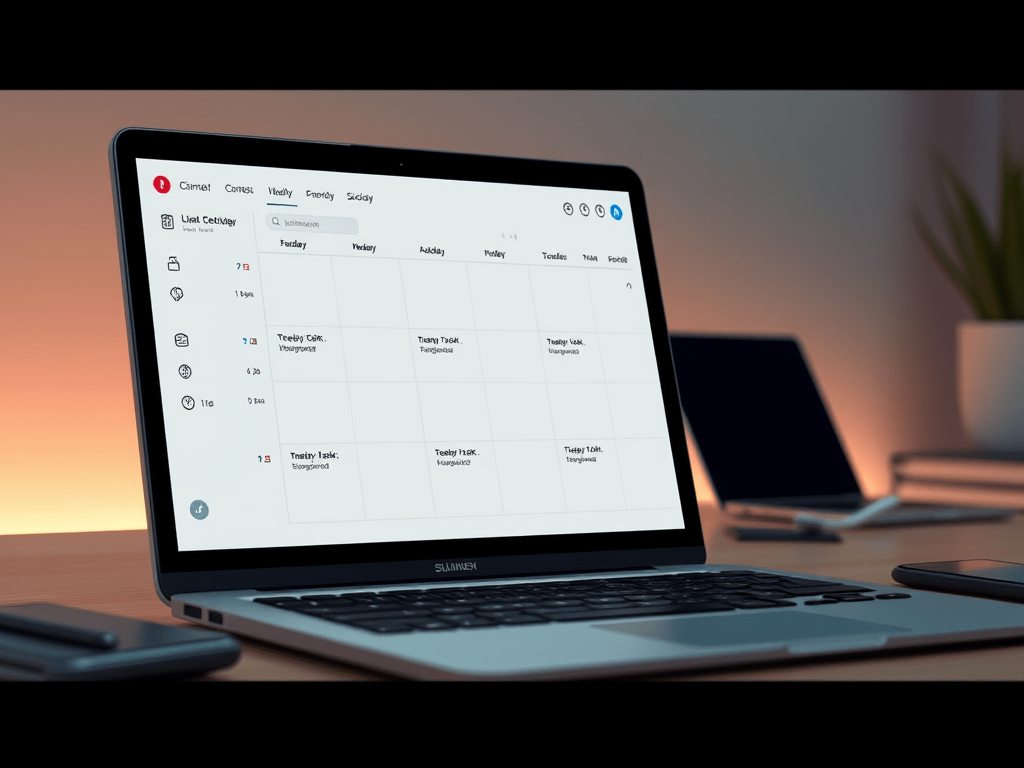
Previously: I built a daily planning view with drag-and-drop scheduling and a Pomodoro timer. Could I only see one day at a time? Yes. Was that incredibly limiting? Also yes.
The Problem: One Day at a Time Like a Monk
Having a working daily view is cool and all, but planning your life one day at a time is like trying to navigate with a map that only shows your current block. Sure, you know what’s happening today, but what about tomorrow? Or Friday when you have that thing?
I needed to see the whole week. Plan Monday while looking at what’s coming Tuesday. Move tasks around without constantly switching views like some kind of productivity peasant.
Week view was next.
Building the Grid
A week view is basically just seven “Today” views side by side, right? How hard could it be?
Narrator: It was exactly that straightforward, which was suspicious.
Started with a simple 7-column grid using Tailwind:
<div className="grid grid-cols-7 gap-4">
  {weekDates.map((date, i) => (
    <div key={i} className="border rounded-lg p-3">
      {/* Day header */}
      <div className="text-center">
        <div className="text-xs">{date.toLocaleDateString('en-US', { weekday: 'short' })}</div>
        <div className="text-lg font-bold">{date.getDate()}</div>
      </div>

      {/* Tasks for this day */}
      <div className="space-y-2">
        {getTasksForDay(date).map(task => (
          <TaskCard key={task.id} task={task} />
        ))}
      </div>
    </div>
  ))}
</div>
Had to write a utility to get the week’s dates starting from Monday (because I’m not a monster who thinks weeks start on Sunday):
export function getWeekDates(date: Date = new Date()): Date[] {
  const dates: Date[] = [];
  const current = new Date(date);

  // Get to Monday
  const day = current.getDay();
  const diff = day === 0 ? -6 : 1 - day; // If Sunday, go back 6 days
  current.setDate(current.getDate() + diff);

  // Get Monday through Sunday
  for (let i = 0; i < 7; i++) {
    dates.push(new Date(current));
    current.setDate(current.getDate() + 1);
  }

  return dates;
}
Added navigation buttons (Previous Week, Today, Next Week) and boom! I could see my whole week.
Then I added keyboard navigation because clicking buttons is for people who have time to waste:
useEffect(() => {
  const handleKeyPress = (e: KeyboardEvent) => {
    if (e.key === 'ArrowLeft') {
      // Go back a week
      const prev = new Date(currentWeek);
      prev.setDate(prev.getDate() - 7);
      setCurrentWeek(prev);
    } else if (e.key === 'ArrowRight') {
      // Go forward a week
      const next = new Date(currentWeek);
      next.setDate(next.getDate() + 7);
      setCurrentWeek(next);
    }
  };

  window.addEventListener('keydown', handleKeyPress);
  return () => window.removeEventListener('keydown', handleKeyPress);
}, [currentWeek]);
Left/right arrows to navigate weeks. Beautiful. Functional. Almost too easy.
Drag and Drop Between Days
The whole point of week view is being able to look at your week and go “actually, this task should be Thursday, not Tuesday.” So I needed drag-and-drop between days.
Used the same HTML5 drag API from the daily view:
const [draggedTask, setDraggedTask] = useState<Task | null>(null);

const handleDragStart = (task: Task) => {
  setDraggedTask(task);
};

const handleDrop = (date: Date) => {
  if (!draggedTask) return;

  const newPlannedDate = date.toISOString().split('T')[0];

  updateTaskMutation.mutate({
    id: draggedTask.id,
    data: { plannedDate: newPlannedDate }
  });

  setDraggedTask(null);
};

// On each day column:
<div
  onDragOver={(e) => e.preventDefault()}
  onDrop={() => handleDrop(date)}
>
  {tasks.map(task => (
    <div
      draggable
      onDragStart={() => handleDragStart(task)}
    >
      {task.title}
    </div>
  ))}
</div>
Grabbed a task, dragged it to another day, and… it worked? No! Of course not. This is web development.
Timezone Hell: A Three-Act Tragedy
Act I: The Mysterious Monday
Created a task for Tuesday. Checked week view. It showed up on Monday.
Excuse me?
Act II: The Midnight Betrayal
The issue: JavaScript’s Date objects are timezone-aware, and I’m in EST. When I set a task for “Tuesday”, I was creating a Date like “2025-11-12”, which JavaScript helpfully interprets as “2025-11-12T00:00:00 UTC” (midnight UTC). But when I compare it to “today” in my local timezone at 8pm, UTC thinks it’s already tomorrow.
Date comparisons were converting everything to UTC and getting confused about what day it actually was.
Act III: String Comparison Saves The Day
The fix: Stop creating Date objects. Compare the date strings directly:
const getTasksForDay = (date: Date): Task[] => {
  const targetDate = date.toISOString().split('T')[0]; // "2025-11-05"

  return allTasks.filter(task => {
    if (!task.plannedDate) return false;
    const taskDate = task.plannedDate.split('T')[0]; // "2025-11-05"
    return taskDate === targetDate;
  });
};
Just compare “2025-11-05” with “2025-11-05”. No timezone conversions. No midnight betrayals. Problem solved.
But wait, there’s more! The isToday function in the daily view had the same bug:
// Old (broken):
const isToday = (dateString: string | null) => {
  if (!dateString) return false;
  const taskDate = new Date(dateString);
  const today = new Date();
  return taskDate.toDateString() === today.toDateString();
};

// New (actually works):
const isToday = (dateString: string | null) => {
  if (!dateString) return false;
  const taskDate = dateString.split('T')[0];

  // Get today in LOCAL timezone
  const today = new Date();
  const year = today.getFullYear();
  const month = String(today.getMonth() + 1).padStart(2, '0');
  const day = String(today.getDate()).padStart(2, '0');
  const todayDate = `${year}-${month}-${day}`;

  return taskDate === todayDate;
};
This bug bit me THREE TIMES. Timezones are a scourge upon humanity.
The Unplanned Tasks Problem
Week view worked. Drag-and-drop worked. But I found a UX issue: to get a task into week view, I had to first schedule it for “today” in the Tasks view, then move it to the actual day I wanted.
That’s stupid.
Added an “Unplanned Tasks” section at the top of week view: a horizontal bar showing all tasks without a plannedDate:
const unplannedTasks = allTasks.filter(task => !task.plannedDate);

return (
  <div>
    {/* Unplanned section */}
    {unplannedTasks.length > 0 && (
      <div className="mb-6 bg-gray-50 border-dashed border-2 rounded-lg p-4">
        <h3 className="text-sm font-semibold mb-3">
          Unplanned Tasks ({unplannedTasks.length})
        </h3>
        <div className="flex flex-wrap gap-2">
          {unplannedTasks.map(task => (
            <div
              key={task.id}
              draggable
              onDragStart={() => handleDragStart(task)}
              className="bg-white border rounded px-3 py-2 cursor-move"
            >
              {task.title}
            </div>
          ))}
        </div>
      </div>
    )}

    {/* Week grid */}
    <div className="grid grid-cols-7 gap-4">
      {/* ... */}
    </div>
  </div>
);
Now I could drag tasks directly from the unplanned pool onto any day. Much better workflow.
Recurring Tasks: The Feature That Got Complicated
You know what sucks? Having to manually create “Morning workout” every single day. Or “Weekly planning” every Monday. Recurring tasks were a must-have.
But how do you implement recurring tasks?
Option 1: Single Task That Resets
One task that marks itself incomplete when the recurrence period hits. Simple, but you lose history and can’t plan ahead.
Option 2: Template + Instances
Create a “template” task that generates individual task instances. Each instance is independent – you can complete one without affecting the others, edit them individually, and see your history.
I went with Option 2 because I’m not building a toy app.
The Schema
Added recurring fields to the Task model:
model Task {
  // ... existing fields ...

  isRecurring        Boolean  @default(false)
  recurrencePattern  String?  // "daily", "weekdays", "weekly", "custom"
  recurrenceDays     String?  // JSON: ["MON","WED","FRI"]
  recurrenceInterval Int?     // For custom patterns

  // Self-referential relation
  parentTaskId       String?
  parentTask         Task?    @relation("Recurrence", fields: [parentTaskId], references: [id], onDelete: Cascade)
  instances          Task[]   @relation("Recurrence")
}
Templates have isRecurring = true and no plannedDate. Instances have a parentTaskId pointing to their template and a plannedDate for when they’re scheduled.
The UI
Updated the Create Task modal with recurring options:
<div className="border-t pt-4">
  <label className="flex items-center gap-2">
    <input
      type="checkbox"
      checked={isRecurring}
      onChange={(e) => setIsRecurring(e.target.checked)}
    />
    <span>Recurring Task</span>
  </label>

  {isRecurring && (
    <div className="mt-4 space-y-3 bg-gray-50 p-3 rounded-md">
      <select
        value={recurrencePattern}
        onChange={(e) => setRecurrencePattern(e.target.value)}
      >
        <option value="daily">Daily</option>
        <option value="weekdays">Weekdays (Mon-Fri)</option>
        <option value="weekly">Weekly (specific days)</option>
        <option value="custom">Custom interval</option>
      </select>

      {recurrencePattern === 'weekly' && (
        <div className="flex gap-2">
          {['MON', 'TUE', 'WED', 'THU', 'FRI', 'SAT', 'SUN'].map(day => (
            <button
              key={day}
              type="button"
              onClick={() => toggleDay(day)}
              className={recurrenceDays.includes(day)
                ? 'bg-blue-600 text-white'
                : 'bg-white border'}
            >
              {day}
            </button>
          ))}
        </div>
      )}
    </div>
  )}
</div>
You can pick:
- Daily – Every day
- Weekdays – Monday through Friday
- Weekly – Specific days (like Mon/Wed/Fri for gym days)
- Custom – Every N days
Generating Instances
The tricky part: when do you create the instances?
I wrote a generator function that takes a template and date range, then creates instances based on the pattern:
export function generateInstances(
  template: RecurringTemplate,
  startDate: Date,
  endDate: Date
): TaskInstance[] {
  const instances: TaskInstance[] = [];
  const current = new Date(startDate);

  while (current <= endDate) {
    let shouldCreate = false;

    switch (template.recurrencePattern) {
      case 'daily':
        shouldCreate = true;
        break;

      case 'weekdays':
        const day = current.getDay();
        shouldCreate = day >= 1 && day <= 5; // Mon-Fri
        break;

      case 'weekly':
        if (template.recurrenceDays) {
          const selectedDays = JSON.parse(template.recurrenceDays);
          const dayNames = ['SUN', 'MON', 'TUE', 'WED', 'THU', 'FRI', 'SAT'];
          const currentDayName = dayNames[current.getDay()];
          shouldCreate = selectedDays.includes(currentDayName);
        }
        break;

      case 'custom':
        const daysSinceStart = Math.floor(
          (current.getTime() - startDate.getTime()) / (1000 * 60 * 60 * 24)
        );
        shouldCreate = daysSinceStart % template.recurrenceInterval === 0;
        break;
    }

    if (shouldCreate) {
      instances.push({
        title: template.title,
        description: template.description,
        timeEstimate: template.timeEstimate,
        plannedDate: new Date(current),
        userId: template.userId,
        parentTaskId: template.id,
      });
    }

    current.setDate(current.getDate() + 1);
  }

  return instances;
}
Added a backend endpoint to generate instances:
router.post('/:id/generate-instances', async (req, res) => {
  const { id } = req.params;
  const { weeks = 2 } = req.body;

  const template = await prisma.task.findUnique({ where: { id } });

  if (!template.isRecurring) {
    return res.status(400).json({ error: 'Not a recurring template' });
  }

  const startDate = new Date();
  const endDate = new Date();
  endDate.setDate(endDate.getDate() + (weeks * 7));

  const instances = generateInstances(template, startDate, endDate);

  // Check for existing instances to avoid duplicates
  const existingInstances = await prisma.task.findMany({
    where: {
      parentTaskId: template.id,
      plannedDate: { gte: startDate, lte: endDate },
    },
  });

  const existingDates = new Set(
    existingInstances.map(t => t.plannedDate?.toISOString().split('T')[0])
  );

  const newInstances = instances.filter(
    inst => !existingDates.has(inst.plannedDate.toISOString().split('T')[0])
  );

  await prisma.task.createMany({ data: newInstances });

  res.json({ message: `Generated ${newInstances.length} instances` });
});
Auto-Generation
When you create a recurring task, it automatically generates instances for the next 2 weeks:
const createMutation = useMutation({
  mutationFn: taskApi.createTask,
  onSuccess: async (data) => {
    queryClient.invalidateQueries({ queryKey: ['tasks'] });

    if (data.isRecurring) {
      await taskApi.generateInstances(data.id, 2); // 2 weeks
      queryClient.invalidateQueries({ queryKey: ['tasks'] });
    }
  }
});
Create a “Morning workout” task set to daily, and boom – 14 instances appear in your week view.
The TODO I’m Ignoring For Now
Right now, “All Tasks” shows every single instance. If you have a daily task, that’s 14 copies cluttering your list. Not ideal.
The plan: show only the most recent uncompleted instance. When you complete it, the next one appears. Like a hydra, but for productivity.
But that’s a problem for tomorrow-me. Today-me is calling this feature “done enough.”
What’s Next
The app is actually usable now. I can:
- See my whole week
- Drag tasks between days
- Set up recurring tasks
- Track time with Pomodoro
What’s missing? Probably authentication at some point. Maybe some analytics. Definitely need to fix that “All Tasks” view showing 47 instances of “Morning workout.”
But for now, I’m going to actually use this thing instead of just building it.
Part 4 Complete. Part 5 will cover… honestly, I don’t know yet. Probably authentication because using temp-user-id forever is getting embarrassing.
Lines of code written: Too many. Timezone bugs encountered: Three. Timezones hated: All of them.

 The Coded Path
Leave a comment